Stop drowning in AI .md files.
A free, open-source CLI and MCP server for the plan files Claude Code and Codex write. It keeps every revision, shows what changed between any two, and tells you when a plan has gone stale.
Or the CLI alone, with no app:
uv tool install flanner- MIT
- licensed
- 100%
- local on the free tier
- MCP
- for Claude Code and Codex
New on the blog: Version control for Claude Code and Codex plans
// freshness
Every plan has a half-life
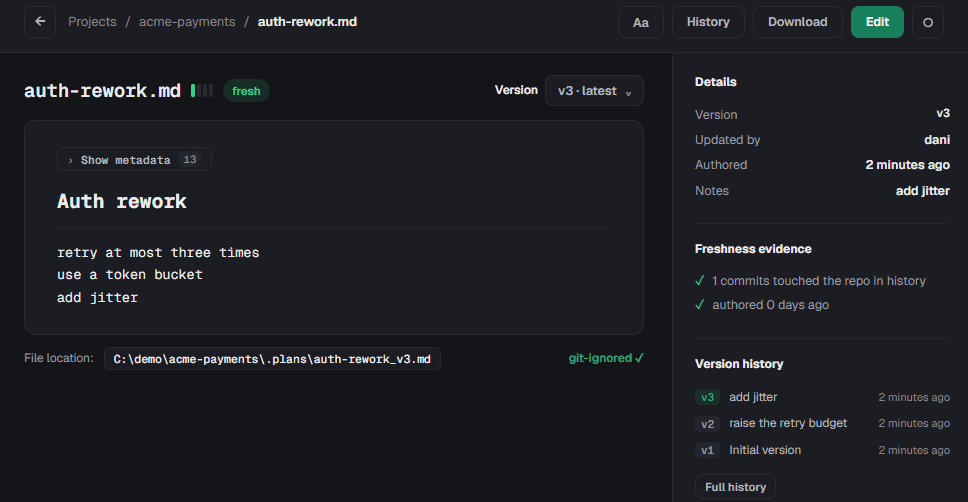
What it cites, what changed since it was written, whether those references still exist. When a plan goes stale, flanner says why.
// the local UI
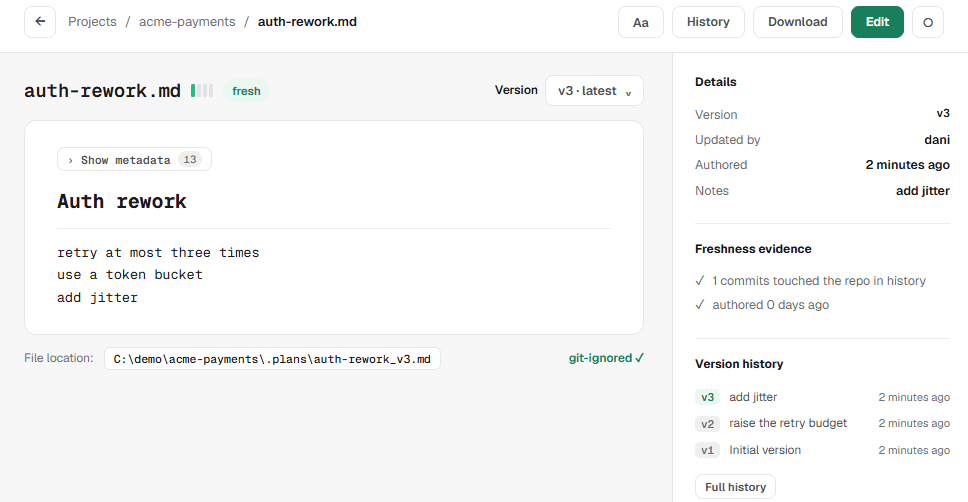
Every version, and why it is still true
flanner web opens this on your own machine. No account, no upload.
// features
Your agent writes the plans. Flanner keeps them honest.
Works with Claude Code, Codex, and any MCP client.
Your agent files plans itself
MCP tools for Claude Code and Codex, plus a guard hook, managed CLAUDE.md/AGENTS.md blocks and two skills. The agent routes plans through flanner without being reminded, and a raw write into the plan directory is refused.
You find out when a plan goes stale
Every plan carries a status backed by evidence: dead references, commits since it was written, age. When one stops being true, flanner tells you which part gave way.
Every revision is kept
Each edit becomes a new version with full history. Nothing is overwritten, so you can read what a plan said before the agent changed its mind, and diff any two versions.
Nothing lands in git by accident
Plans live in .plans/ and are kept out of commits automatically. You decide if and when any of them becomes part of the repository.
Flanner Memory: your agent remembers decisions
Save the constraints, decisions and facts about your project as Markdown files. Any later session can search them. Secrets are refused before they are written.
Flanner Skills: see what your agents actually load
Skills arrive from your project, your home directory and every plugin at once, and nothing tells you which copy wins. Flanner reads them all, says which is in effect, and flags the duplicates you are editing by mistake.
Flanner Curb: see what your agents can reach
An agent runs in your shell and can usually read your tokens and keys. Curb checks each Claude Code and Codex launch on your machine, channel by channel, and says which setting would close an open one. Its output names no credential.
Flanner Mesh: sync with your team, not through us
Plans, memory and skills move directly between your team's machines, signed and verified. Flanner's servers handle accounts and access, and never see your content. Team Mesh also carries Flanner Messages, notes between teammates inside their agents. Paid, with a free trial.
Your plans stay on your machine
A local SQLite catalog and markdown files in your own directory. No account and no upload, and nothing is sent unless you turn it on. Flanner Mesh adds team sync, and still stores none of it.
All of it through three surfaces that share one catalog: a CLI, an MCP server your agent drives, and a local web UI for reading and reviewing. See the command reference.
// workflow
How flanner works
From init to a fully versioned plan history, in five steps.
01
Initialize
flanner init creates the catalog and .plans/, and registers with your agent.
02
Create plans
Your agent writes plans through the MCP tools, or you add files yourself and run flanner sync.
03
Track versions
Every edit becomes a new version, with the history and metadata kept.
04
Browse and edit
Read plans, diff versions and check freshness from the CLI or the local web UI.
05
Collaborate
Team sync sends plans directly to your teammates' devices rather than to us
Flanner Mesh
The local tool is free and open source today. Team sync keeps the same shape: plans travel directly between your team's authorized devices, with no VPN and no ports to open, and flanner does not store your plan content.
Start a teamStart in one command
Free and open source. One command, no account, and your plans never leave the machine.
uv tool install flanner